Using Homedale to Examine Wi-Fi Signals on Windows
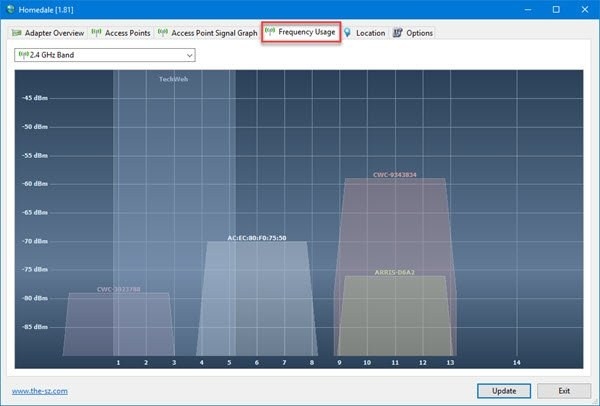
Homedale provides Wi-Fi monitoring details beyond the built-in Windows 11/10 signal monitor. Its tabs cover adapter information, nearby access points, signal graphs, channel usage, and location.
6 results
Homedale provides Wi-Fi monitoring details beyond the built-in Windows 11/10 signal monitor. Its tabs cover adapter information, nearby access points, signal graphs, channel usage, and location.
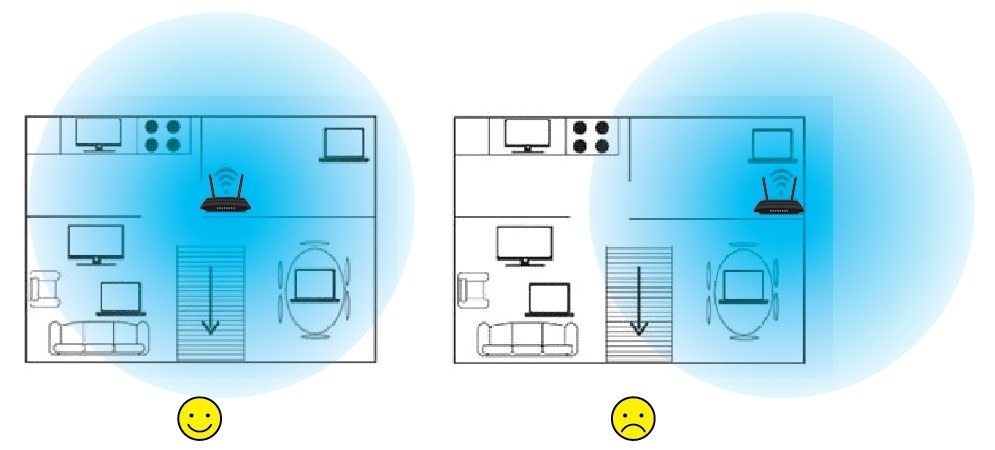
A central, raised, unobstructed router position can often solve weak Wi-Fi without new hardware. Learn six placement principles, how to cover two floors, and when a mesh system, extender, or newer router may be needed.
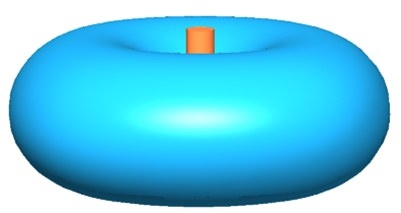
Before buying a mesh router or extender, try improving your router's position. These six tips cover location, height, interference, obstacles, device safety, and antenna angles.
WiFi 7’s ultra-wide 320 MHz channels increase transmission capacity and use the less congested 6 GHz band. Their benefits may matter most for emerging demanding applications, while earlier WiFi generations can still meet many everyday needs.
Compare Mesh WiFi, range extenders and powerline adapters to find a suitable way to improve indoor or outdoor coverage. The guide explains placement, electrical-circuit requirements and the features of recommended TP-Link options.
Weak Wi-Fi can result from obstacles, interference, antenna positioning or channel conflicts. Work through router placement and channel settings first, then consider a range extender, Deco Mesh system or powerline adapters for remaining coverage gaps.