
Six Ways to Position Your Wireless Router for Better Coverage
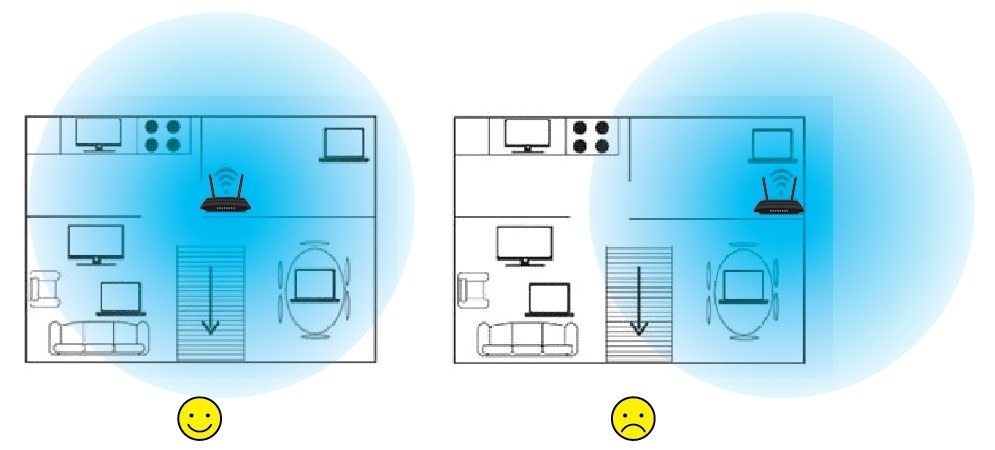
Before buying a mesh router or extender, try improving your router's position. These six tips cover location, height, interference, obstacles, device safety, and antenna angles.
What We Know
A mesh router or WiFi extender can restore coverage in dead zones, but moving your existing router may be the easiest and least expensive solution.
WiFi range and strength depend on frequency band, radio power output, receiver sensitivity, antenna gain and type, and modulation technique. The surroundings matter too: floors, walls, other obstructions, and radio interference can weaken signals and reduce coverage.
Tip 1. Choose a Central Spot
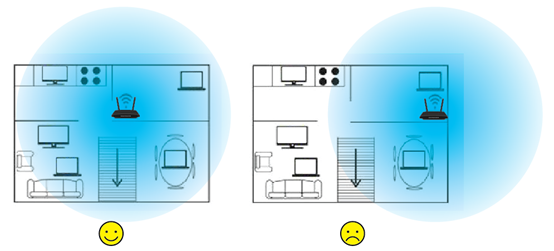
Because WiFi radiates in all directions, a corner location substantially limits useful coverage. If possible, place the wireless router near the center of the house so its signal reaches more of the space.
Tip 2. Give the Router Some Height
Home WiFi equipment generally uses omni-directional antennas, which transmit more strongly horizontally than vertically. A table or shelf that raises the device slightly helps make better use of that transmission pattern.
Tip 3. Keep Clear of Appliances and Electronics
High-powered electrical appliances and metal products can cause interference. Keep the router away from devices such as refrigerators, TVs, and microwaves. Microwaves deserve particular attention because they emit a very strong signal in the 2.4 GHz band.
Tip 4. Reduce Obstructions
Metal is especially likely to block WiFi. A steel table, refrigerator, or other large metal object can reflect and absorb the signal, leaving a dead zone. Position the router so its signal avoids metal and passes through as few walls, cabinets, furniture pieces, and other obstacles as possible.
Tip 5. Protect the Device
Keep the router away from water and fire, and avoid hot or humid locations. Damage from these conditions can impair wireless performance.
Tip 6. Set the Antenna Angles
Angle the antennas obliquely to the ground. For a device with two antennas, the recommended angle is between 45 degrees and 60 degrees. With three antennas, the middle one can point straight up.
Check the product image on its relevant poster and/or user manual for antenna positioning guidance.
If these placement changes still leave coverage inadequate, consider a Range Extender, Powerline Adapter, or Mesh WiFi system.

