
Using Homedale to Examine Wi-Fi Signals on Windows
Homedale provides Wi-Fi monitoring details beyond the built-in Windows 11/10 signal monitor. Its tabs cover adapter information, nearby access points, signal graphs, channel usage, and location.
What We Know
Signal strength matters for browsing and other internet tasks. Windows 11/10 includes a signal monitor, but Homedale adds useful details that the built-in tool lacks.
The source reviewer found its interface visually unappealing but its options reasonably easy to locate. The program ran smoothly in that review; the reviewer also expected it to work smoothly on very slow computers, though that was an expectation rather than a reported test result.
Adapter Overview
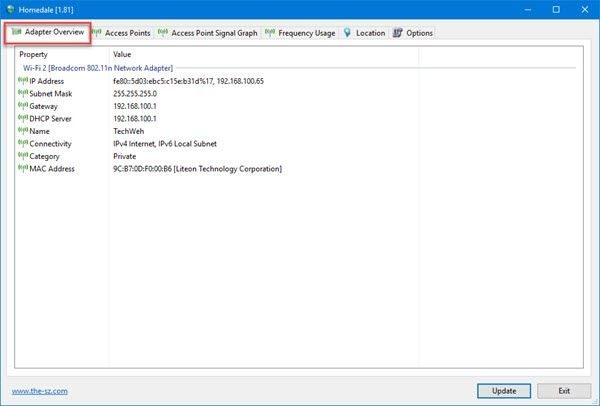
Open Adapter Overview to identify your WLAN adapter and inspect details including its IP Address, Subnet Mask, and MAC Address.
Access Points
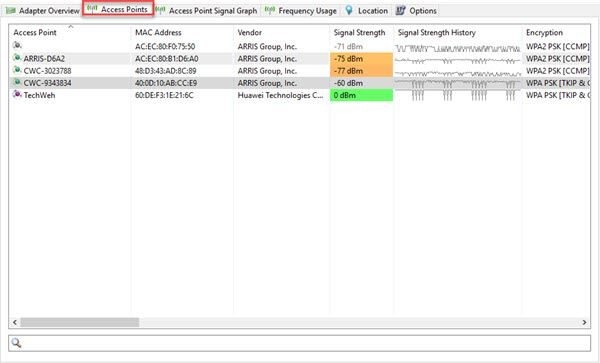
The Access Points tab lists the Wi-Fi networks detected by your WLAN adapter, including your own. It shows access point names, vendors, signal strength, encryption methods, and hardware MAC Address information.
The reviewer found the amount of information greater than expected and expressed concern that the tool could reveal a network's MAC Address without connecting to it. Scroll horizontally to the right for further details, including frequency and bitrates.
Access Point Signal Graph
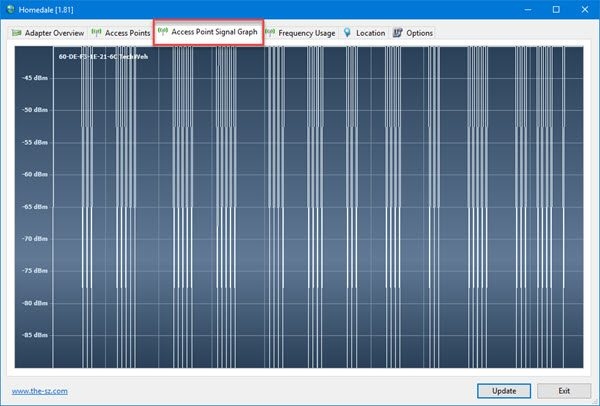
Use Access Point Signal Graph to view signal strength visually. To save the graph as an image, right-click it and choose Save Picture.
Frequency Usage
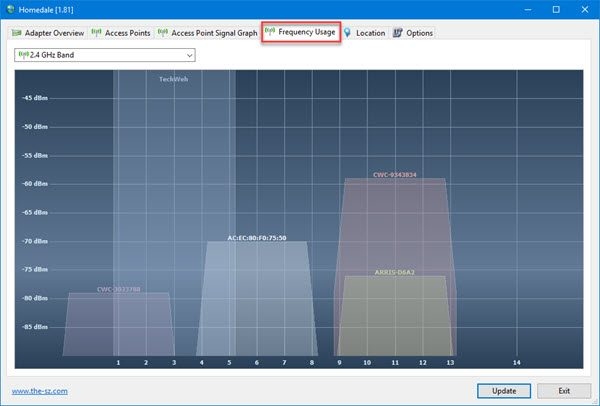
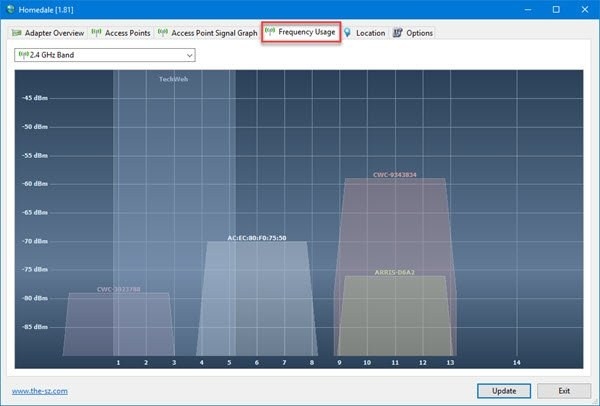
The Frequency Usage tab helps you identify nearby channel activity. Where possible, avoid placing your Wireless Router on the same Channel as surrounding networks. If every Channel is occupied, use this view to identify the frequently used ones and try to avoid them.
The reviewer particularly appreciated the animated graph for making wireless activity easier to understand.
Location
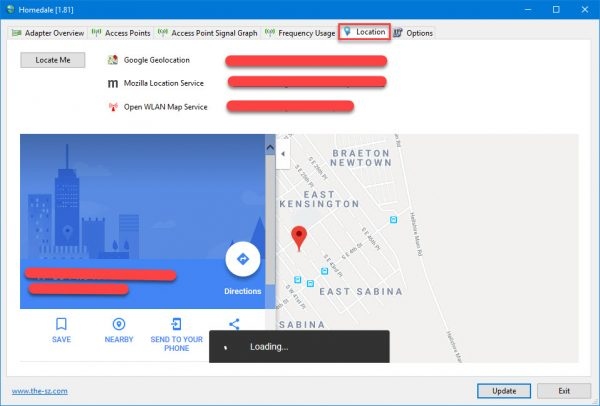
With an internet connection active, select Locate Me. Homedale uses Google Geolocation, Mozilla Location Service, and Open WLAN Map Service to estimate your Wi-Fi location with relative accuracy.
The application also displays a map. To open your location in a browser, select one of the links shown in the picture. Although the reviewer questioned the feature's usefulness, they considered its location result accurate.
Overall Assessment
Homedale exceeded the source reviewer's expectations and was their favorite among the tools they had tested at that point. They hoped development would continue to improve it.
Download Homedale from its official site.

